FilmBase 1.5: the biggest release since version 1
The biggest release since version 1, with real-time team collaboration, automatic storyboards, a full budget reporting suite, and a smarter schedule optimizer.
· 13 min read
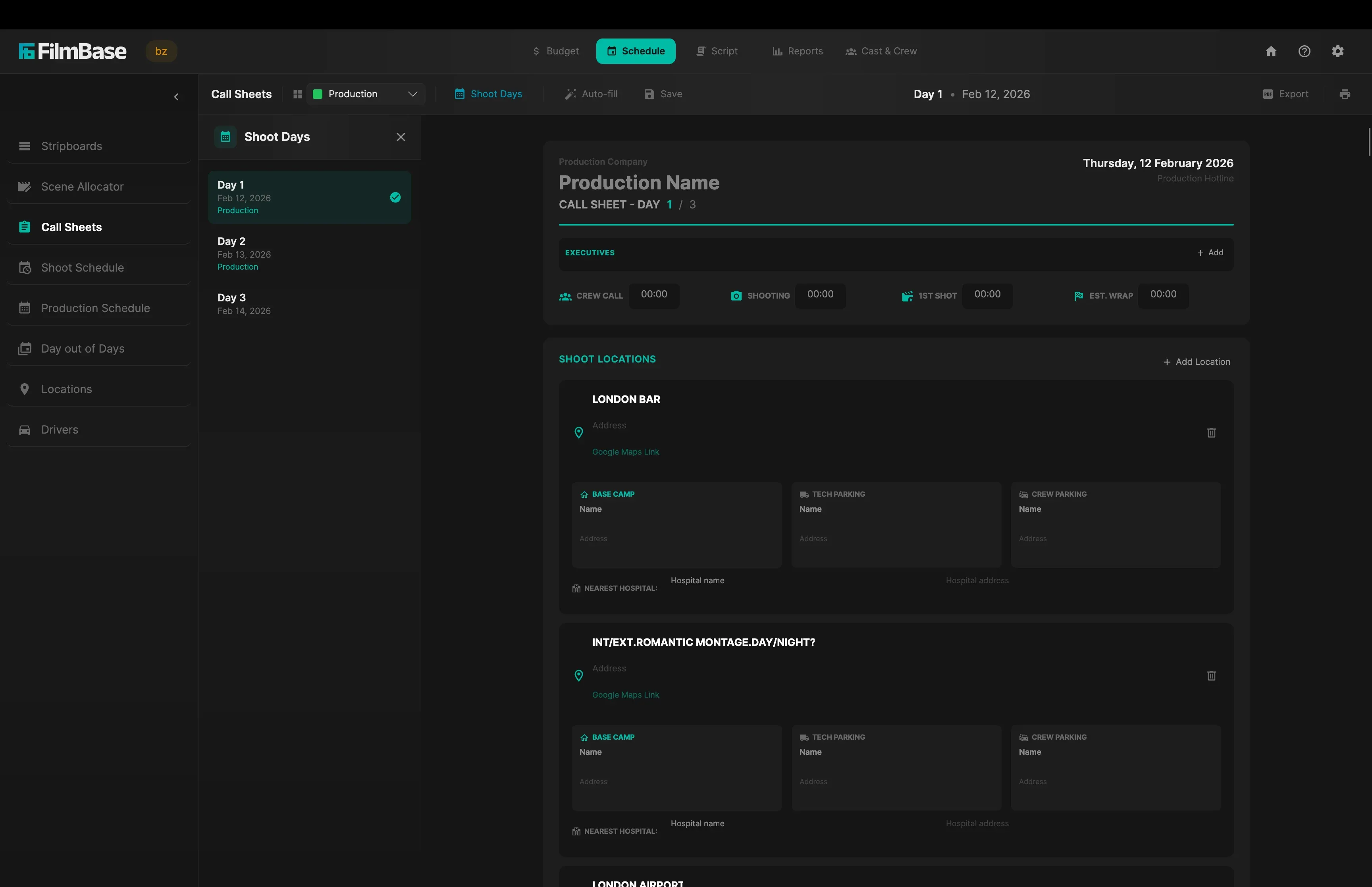
Budgets | Schedules | Scripts | Storyboards | Logistics | Collaboration
7 days free, then $39 a month or $349 a year. Cancel anytime.
Coming soon to the Mac App Store & Microsoft Store
Most productions piece together five or six different tools. One for scheduling, another for breakdown, spreadsheets for the budget, something else for call sheets, and a notes app for transport. FilmBase does it all in one place, and the parts stay connected. Let the optimizer lay your scenes across shoot days, pick your dates, then import your cast and props into the budget. They stay tied to that schedule, so move a day and each actor's shoot days and every prop's usage re-price on their own. Set a rate on a contact and it flows into the budget the moment they are cast.
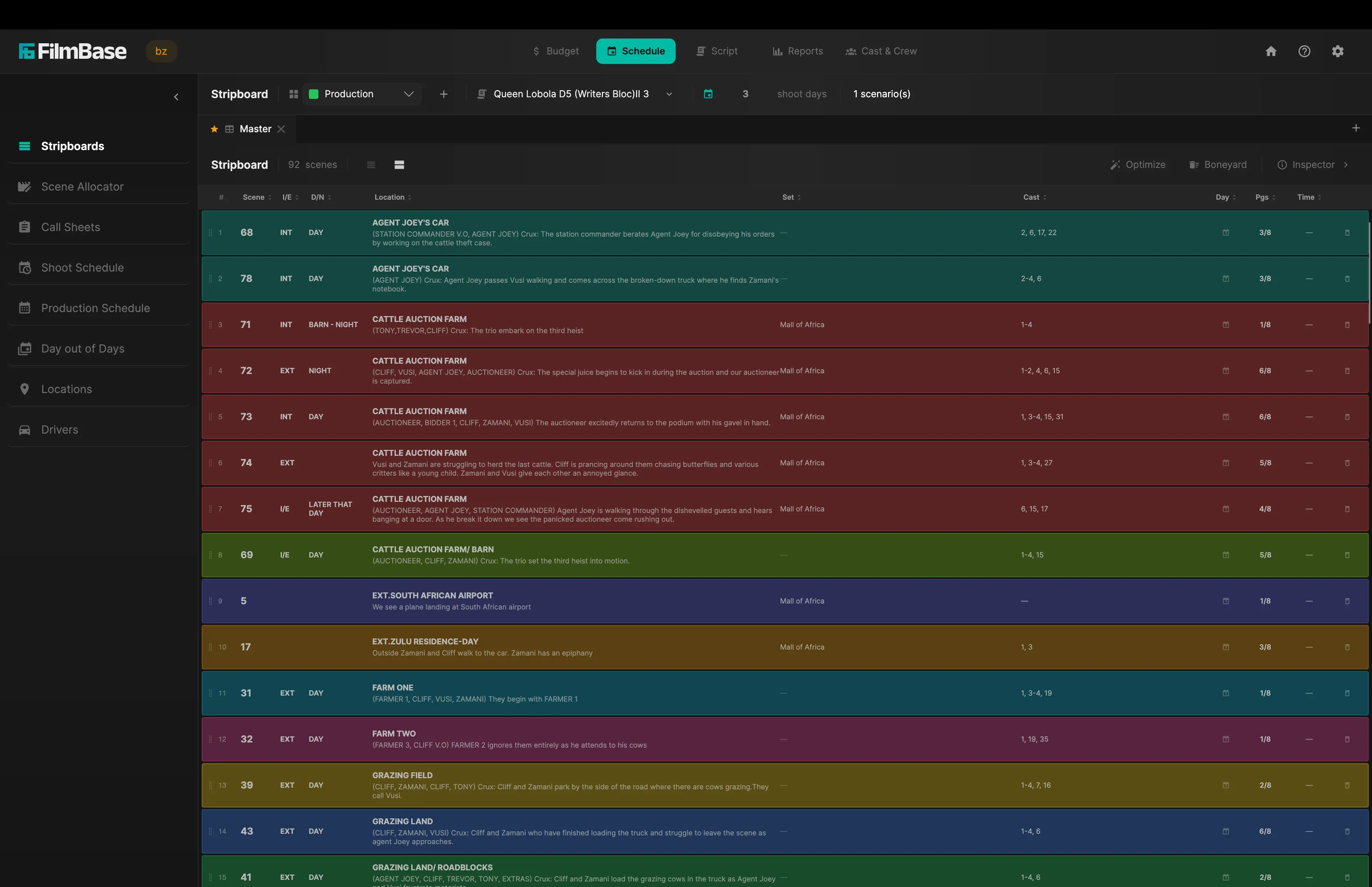
Scheduling normally means dragging strips into shoot days one at a time until the board looks right. FilmBase can do it in one click. Set your dates, drop in the script (Final Draft .fdx or PDF, and export it back the same way), and hit Optimize: every scene lands on a day, with each location shot out before you move on, day and night kept apart, actor turnarounds respected, and your page cap per day held. Pin your locations on the map and it plans the drive too, keeping nearby places together and ordering the days into a one-way route instead of crossing town and doubling back. Script changes? Re-run it. Prefer to do it yourself? The stripboard is still a board you drag.
Runs entirely on your machine. No cloud, no waiting.
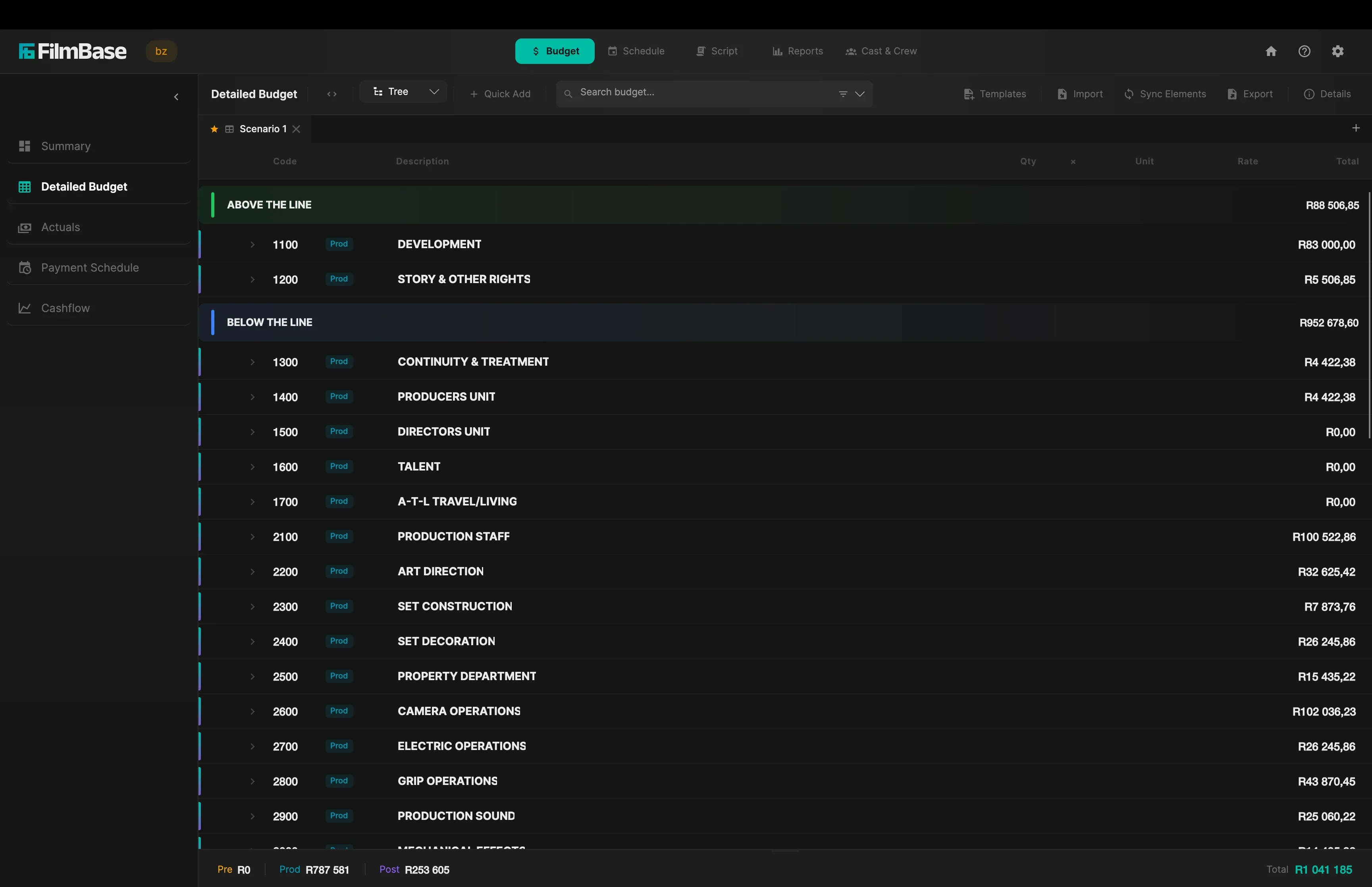
Start from a template, your own rate cards, or a budget you bring in from Movie Magic (.xml) or Excel. Then the schedule keeps it honest: import a character or a whole crew department and FilmBase prices their work, hold, travel, rehearsal, and prep days from the Day out of Days and the per-person Crew Schedule, each at its own rate. Move a day on the schedule and the budget re-prices on the spot. From there it tracks the real money. The Actuals page is where you log what you actually spend against each line, with invoices and proof of payment attached, so you always know what's gone and what's left. Schedule the payments and read the whole project at a glance on the Payment Schedule, then watch money in against money out on the Cashflow page, so you know when cash is coming and when you'll need it.
Estimate, actuals, payments, and cashflow: one connected picture of the money.
Most of the call sheet is done before you open it. Cast, the day's scenes, locations, and call times pull straight from the schedule, and the weather forecast and nearest hospital fill themselves in for that date and place. Add custom rows for whatever's specific to the day, then export it bundled with the right sides as a single PDF, so the team gets one file, not five.
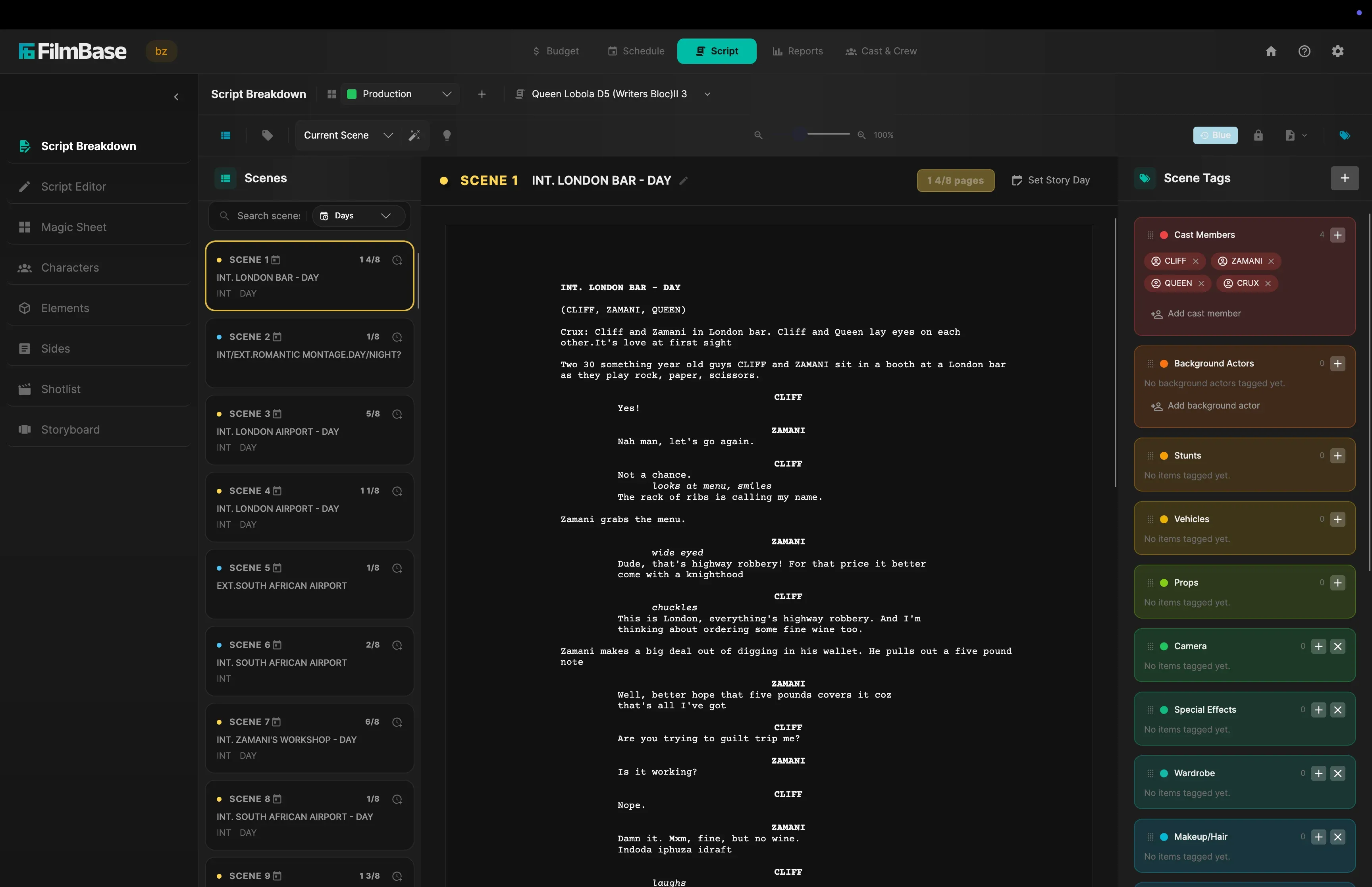
On-device AI tags every element it finds (props, wardrobe, vehicles, stunts) with nothing leaving your computer, or you highlight and tag by hand. Promote a tag to a tracked element so it flows into the breakdown and budget, then use the Magic Sheet to click exactly which scenes it appears in. Fix a slugline or flip a scene night-to-day right on the page.
Every shot without art gets an automatic hand-drawn diagram of the framing: set the size, angle, lens, and who's in the frame. Build a storyboard and visual shotlist linked to every scene, set the timing per shot, then export the whole thing as an animatic video. Direct the cut before you direct the shoot.
Assign drivers to cast and crew for each shoot day on a dedicated transport page. Pickup manifests flow straight into the call sheet. Built-in transport logistics is rare in production tools. Most teams handle this in a spreadsheet and a group chat.
That's the highlights. Every page of the app, with screenshots, lives on the features page.
See every featureA screenwriting app, a scheduling app, a budgeting app, and an all-in-one cloud tool for breakdown and call sheets. Here's what that stack runs per person, per year.
The usual stack
Plus a one-time ~$250 for the screenwriting app.
FilmBase, all of it
Comparison uses representative public pricing for category-equivalent tools, per person, in 2026. Exact costs vary by vendor and tier.
From script to wrap. Six steps. Each one feeds the next.
Import Script
Write or import
Break Down
Auto-tag elements
Schedule
Optimize shoot days
Set Budget
Estimate & track
Call Sheets
Generate & distribute
Wrap & Report
Final reports
FilmBase installs on your computer and does its work right there. On a closed set or a remote location with no signal, the whole app keeps working and your projects stay on your own machine.
Once FilmBase is installed it does not need the internet to run. Open your budget, build a schedule, or generate a call sheet from a basement location or a village hours from the nearest signal, and every page works the same as it does at the office.
The schedule optimizer and the script breakdown do their work inside the app, on your own computer. Nothing goes out to a server, so they keep working with no internet, and your script never leaves your machine.
Bird's-eye budget dashboards, cashflow tracking, and production Gantt charts.
Detailed budgets with actuals, payment schedules, and variance analysis.
One-click stripboard optimization, call sheets, transport logistics, and DOOD tracking.
Unified workspace for multiple projects with offline-first security and full reports.
Run a full production through FilmBase for 7 days before you pay anything. Cancel inside the trial and nothing is charged.
On the Mac App Store and the Microsoft Store.
From the blog
The biggest release since version 1, with real-time team collaboration, automatic storyboards, a full budget reporting suite, and a smarter schedule optimizer.
How FilmBase keeps real-time team collaboration fast and private, peer-to-peer over your own network, with nothing stored on a server.
A spending hierarchy for small productions: why sound and lighting beat a better camera body, when to rent, and the kit decisions that survive contact with a real shoot.
Free for 7 days. Cancel anytime, and you are not charged.